

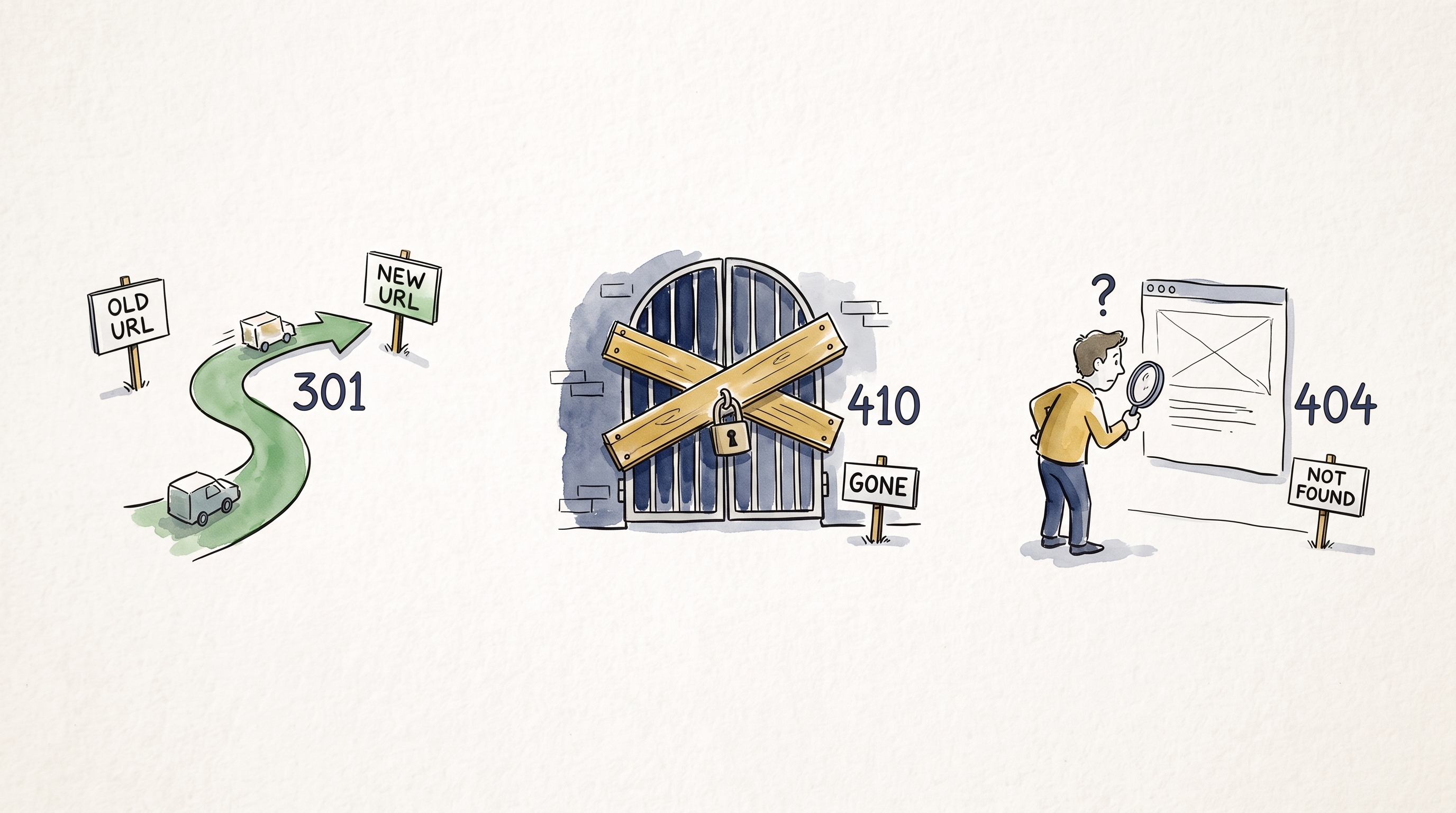
A 301 is for a page that has a real new home. A 404 or 410 is for a page that is gone. The key decision is whether the old URL has a relevant replacement. Sending a visitor to a page that does not meet the same need, or returning an error page with a 200 OK status, creates the real migration problem.
At My Favorite Web Designs, redirect decisions start with a migration audit and a URL map, not with a rule that sends every old page to the homepage. The map gives each valuable old URL one clear outcome: a relevant new destination, a real removal, or a temporary holding state.
Choose A Status Code Based On Whether The Old URL Has A Relevant Replacement:
- A new page serves the same purpose: return a permanent
301redirect to that closest replacement. - The content is intentionally gone with no useful replacement: return a real
404 Not Foundor410 Goneresponse. - The move is temporary: use a temporary redirect such as
302or307, then restore the original URL when the temporary condition ends. - The URL is only a typo, an old parameter, or an unplanned request: do not invent a destination. Let it return a real 404 unless a specific, useful mapping exists.
Google's site-move guidance puts the work in the same order: prepare the URL mapping, configure permanent server-side redirects for moved pages, update internal links and sitemaps, then monitor the old and new URLs.
When An Old URL Needs A 301 Redirect
A 301 Moved Permanently tells browsers, users, and search engines that the old URL has moved for good. Use it when the new URL gives a visitor substantially the same answer, product, service, or next step.
Examples:
/mesa-seo-services/becomes/seo/, and the new page still explains the same SEO service./blog/old-page-speed-guide/becomes a rewritten, current page-speed guide covering the same reader question.- Several thin legacy service pages are consolidated into one detailed service page that contains the information those visitors need.
Google recommends server-side permanent redirects for site moves and says permanent redirects such as 301 and 308 do not lose PageRank. Relevance is the point. The new URL needs to meet the same reader or customer need as the old URL. If the destination is not a sensible substitute, the redirect does not help simply because it avoids an error code.
Keep permanent redirects as long as possible, generally at least one year. That gives Google time to recrawl old URLs and process external links that still point to them. High-value URLs often deserve to stay redirected longer because old backlinks, bookmarks, brochures, or ad URLs can remain in circulation.
Pro Tip: Keep A Proven URL When You Can. Google treats permanent redirects as a way to carry ranking signals forward. In MFWD migrations, we still allow time for a replacement URL to settle because it may not immediately carry all of the old URL's ranking strength. When a rebuild can keep a proven URL in place, we usually prefer that over creating a redirect.
When A 308 Makes Sense Instead Of A 301
For ordinary page URLs, a 301 is the practical default. Google treats both 301 and 308 as permanent redirects, so this is not a choice about gaining a ranking advantage.
The difference matters when the old URL is an endpoint that receives a request body, such as a form handler, API route, or checkout integration. A 308 Permanent Redirect preserves the HTTP request method and body; a 301 is commonly converted to GET by older clients. MDN's HTTP reference explains that protocol distinction. If an old endpoint accepts POST requests, test the full transaction and use a 308 only when preserving that method is required. Do not switch every marketing-page redirect to 308 just because it is newer.
When A 404 Or 410 Is The Correct Answer
Use a real 404 Not Found or 410 Gone response when a page was deliberately removed and there is no close replacement. Google groups both responses together as valid ways to tell search engines that content no longer exists and should not be indexed.
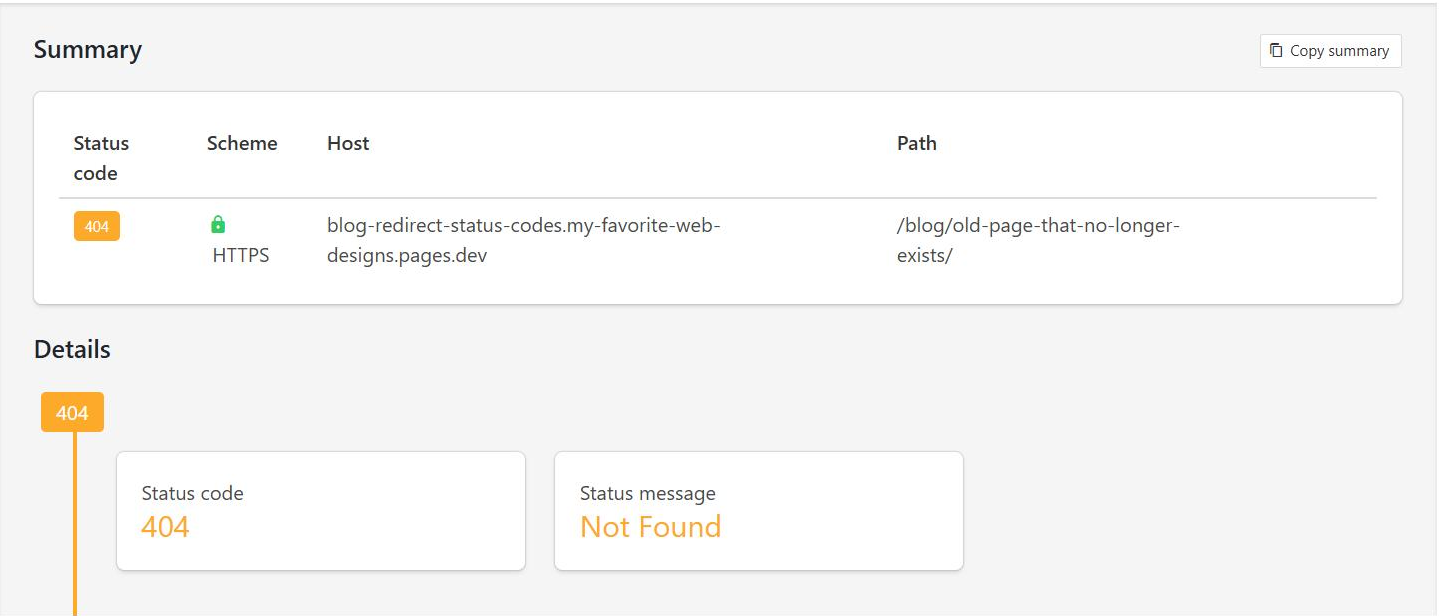
The practical distinction is about your intent:
- 404: the requested page is not available. This is a normal answer for an old URL with no replacement, a mistyped address, or a page your system cannot find.
- 410: the page was intentionally removed and is not coming back. It can be useful when your records need to communicate that deliberate retirement clearly.
For a migration, neither code is a shortcut for cleanup. Do not return 410 for a service page that has a useful new page. Do not 301 a discontinued service to an unrelated page just because a 404 feels uncomfortable.
Google's crawl-error guidance is direct: if content is gone and no similar replacement remains, return a 404 or 410. That is a better outcome than an irrelevant redirect or a page that looks missing but still returns success.
Why A Soft 404 Causes More Trouble Than A Real 404
A soft 404 happens when a URL looks like an error page to Google or a visitor but the server returns a success status, usually 200 OK. It can also happen when a site redirects many unrelated old URLs to one broad page, such as the homepage.
That is why an attractive custom error page is not enough. It must still return the correct HTTP status. A useful 404 page can help a visitor find the homepage, contact page, search, or popular services. It should not pretend that the deleted page still exists.
Google specifically warns against redirecting many old URLs to one irrelevant destination. That can confuse users and may be treated as a soft 404. If an old URL represents a discontinued product, a removed staff bio, or a campaign with no current equivalent, an honest 404 or 410 is usually cleaner than a homepage redirect.
How MFWD Builds An Old-URL Map Before A Migration
At My Favorite Web Designs, migration work begins with an audit and a clear foundation plan for the new site. The old-URL map is part of that foundation. It prevents design, content, and technical work from erasing pages that already earn traffic, links, or leads.
For every old URL worth evaluating, record these points before launch:
- The old URL and its current status.
- The page's purpose: service, location, blog topic, campaign, product, or utility page.
- Search Console clicks, impressions, and important queries.
- Analytics visits, conversions, and referral traffic when available.
- Internal links and known external links pointing to the URL.
- Downloads, media, and other non-HTML URLs with search visibility or inbound links.
- The exact new destination, or the decision to return 404 or 410.
Start with the URLs that matter most. Google recommends using existing sitemaps, analytics, server logs, Search Console, and your content-management system to find the old pages that deserve mapping. When asset URLs will change, Google's guidance also includes embedded content such as images, videos, JavaScript, and CSS. A migration can have hundreds of URLs, but not every URL carries equal risk.
This is also why iteration is often safer than a full replacement. Improving a site in smaller steps can preserve useful search signals while you test the next change. When a rebuild is necessary, the URL map becomes the record of what the new site must preserve.
How To Test Redirects Before And After Launch
Do not assume a redirect rule works because it looks right in a CMS screen. Test the actual HTTP result and the final destination.
Before launch, test a representative set from every URL pattern:
- A high-traffic service page.
- A city or location page.
- A blog post with backlinks.
- A URL that should return 404 or 410.
- An old URL with tracking parameters.
- An unmapped URL pattern, to confirm a catch-all rule does not send a real 404 to the homepage.
- A redirected page on both mobile and desktop browsers.
For each redirected URL, confirm that it reaches the final page in one step when possible. Google can follow redirect chains, but advises keeping them short and directing users to the final destination directly. Also check that the destination has its own self-referencing canonical URL, no accidental noindex, and current internal links.
Use server-side HTTP redirects where possible. Google recommends HTTP permanent redirects such as 301 and 308 for a site move. An instant meta refresh is a fallback if server-side redirects are unavailable; JavaScript redirects are a weaker last resort because Google has to render the page to see them, and rendering can fail.
After launch, use Search Console's URL Inspection tool for individual checks and monitor the Page Indexing and Sitemaps reports. At My Favorite Web Designs, the work continues through the track-and-report stage after the new site launches. The URL map gives the team a specific list of pages and redirects to watch. Google notes that significant site moves can cause temporary ranking movement while it recrawls and processes the old and new URLs. That is normal. A sustained pattern of errors, unexpected 404s, or old URLs pointing to irrelevant pages needs investigation.
Use Old And New Sitemaps To Watch The Move
Save a copy of the old sitemap before launch and build a new sitemap that contains the new canonical URLs. Once the move begins, submit both saved sitemaps in Search Console. Google says the old sitemap's indexed count should fall as the new sitemap's indexed count rises, and warnings about redirects in the old sitemap are expected during that transition.
This is a monitoring tool, not a reason to keep old URLs in the production sitemap forever. The sitemap served by the new site should list its current URLs. Keep an eye on server capacity, too: Google notes that a migration can temporarily increase crawl demand because it is crawling new URLs while following old URLs through redirects. Review access and error logs for slow responses or unexpected errors while the move is underway.
A Migration Example: Three Old URLs, Three Different Answers
Imagine a contractor rebuilds a site and changes its service structure.
- Old URL:
/kitchen-remodeling-mesa/. The new/kitchen-remodeling/page still serves Mesa homeowners and answers the same service question. Use a 301 to the new service page. - Old URL:
/financing-promotion-2021/. The promotion ended and there is no current offer that matches it. Return a real 404 or 410, with a helpful error page for visitors. - Old URL:
/about/old-team-member/. The person no longer works with the company and no relevant replacement exists. Return 404 or 410. Do not redirect the URL to a service page or homepage.
Choose the status code from the relationship between the old URL and its successor. When a relevant replacement exists, redirect to it. When no relevant replacement exists, return a real 404 or 410 instead of redirecting only to remove an error from a report.
The Migration Checklist Before You Turn On Redirects
- Finalize the old-to-new URL map before launch.
- Use server-side 301 redirects for permanent, relevant replacements; use 308 only where a moved endpoint must preserve its request method and body.
- Use 404 or 410 for intentionally removed content with no close substitute.
- Avoid redirect chains and irrelevant homepage redirects.
- Update internal links, canonical tags, hreflang annotations if applicable, and the XML sitemap to use new URLs. Save the old sitemap before the move.
- Test response codes and final destinations before launch, including a deliberately unmapped URL that should return a real 404.
- Submit the saved old sitemap and the new sitemap in Search Console, then monitor Page Indexing, analytics, server capacity, and error logs after launch.
- Keep permanent redirects in place for at least a year, and longer where old URLs still have meaningful traffic or links.
If you are planning a rebuild, do not treat redirects as the last technical task after the design is approved. They are part of the migration plan that protects the pages people and search engines already know. A free marketing analysis can help identify the URLs worth protecting before a new site changes them.
Written by Joshua Jacoby, founder and SEO strategist at My Favorite Web Designs. Learn more about our website design and SEO work.
Frequently Asked Questions
Should I Use A 301 Or 410 For An Old URL?
Use a 301 when the old page has a relevant permanent replacement. Use a 404 or 410 when the content is intentionally gone and there is no useful replacement. Do not send unrelated old URLs to the homepage just to avoid an error code.
Is A 410 Better Than A 404 For SEO?
Google documents both 404 and 410 as appropriate responses for removed content with no relevant replacement. Pick the status that accurately describes the URL in your system, then make sure it returns a real HTTP error instead of a soft 404 page with a 200 status.
How Long Should 301 Redirects Stay In Place After A Migration?
Google recommends keeping permanent redirects as long as possible and generally for at least one year. Keep them longer when users, backlinks, campaigns, or old printed materials may still send people to the previous URL.
Should Every Deleted Page Redirect To The Homepage?
No. Redirect only when the destination is a useful, close replacement for the old page. Google warns that irrelevant redirects, including sending many old URLs to one homepage, can confuse users and may be treated as soft 404 errors.
When Should I Use A 308 Instead Of A 301?
For normal page URLs, a 301 is usually the practical choice. A 308 is also a permanent redirect, but it preserves the HTTP request method and body. It can be appropriate for a moved form, API, or other endpoint that must keep a POST request intact.