

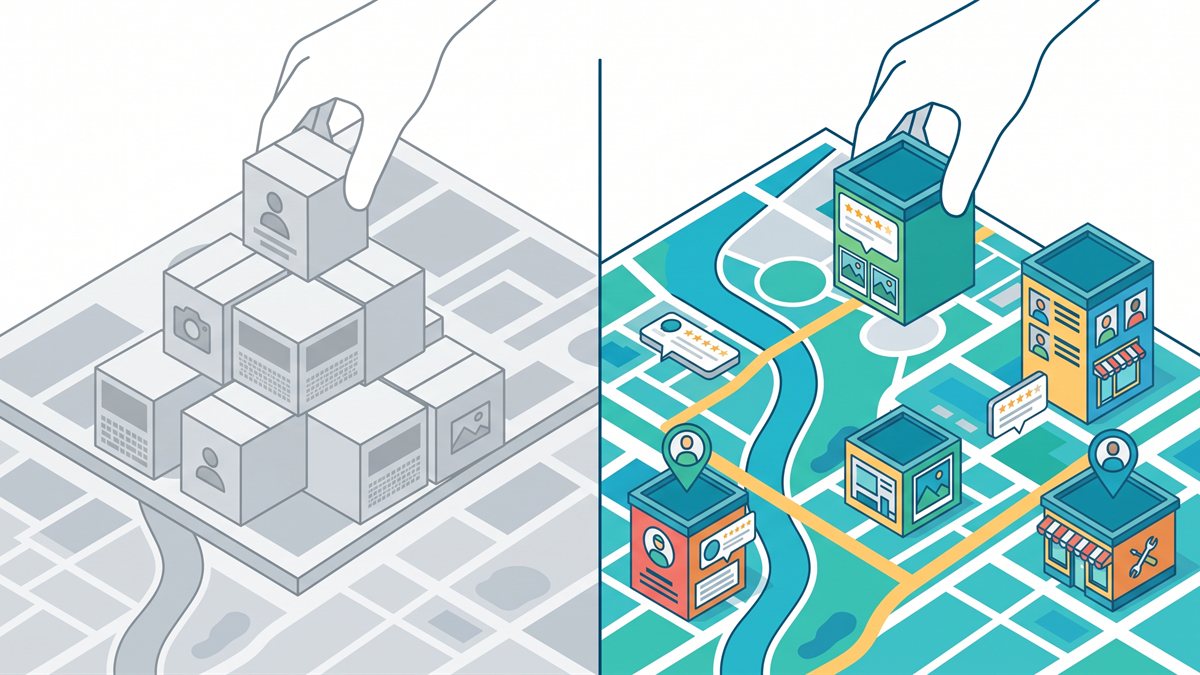
A city page needs a reason to exist beyond the city name. It should help a person in that area make a better decision: whether you serve them, which service fits their situation, what local proof you have, and how the work happens where they live or operate. If the only edit is replacing “Mesa” with “Gilbert,” you do not have two pages. You have one template wearing two name tags.
That does not mean every repeated sentence is a problem. Your hours, core services, team, warranty, and contact information can be consistent across your site. The question is whether the primary content gives each local reader something useful that the homepage and the next city page do not.
The Short Answer For City Pages:
- Thin content is a usefulness problem. A page is thin when it does not answer a local customer question with real detail.
- Duplicate content is a similarity problem. Google may group pages with substantially similar primary content and choose one representative URL.
- Doorway abuse is an intent problem. Google’s spam policies specifically identify pages created mainly to rank for similar city searches and funnel everyone toward the same destination.
- A strong location page uses proof. It explains a real service area, a real local need, real work, or a real operational difference. It does not pad the page with neighborhood names.
What Makes A City Page Worth Publishing?
A useful city page answers a local version of the buyer’s question. The homepage explains who you are and what you do. A city page should explain what someone in that city needs to know before they call you.
For a service business, that might include whether you travel there, what jobs you commonly take there, how dispatch works, what proof you have from that market, or which service conditions change by area. For a storefront, it might explain the actual location, parking, appointment process, inventory, or staff serving that location.
A good working test is whether the page provides original information, experience, and substantial value beyond the homepage and the next city page. A city page should be useful even if the reader arrived directly from a referral instead of Google.
A City Page Needs A Different Job Than The Homepage
Start by writing down the job of each URL before you write any copy.
- Homepage: explains the business as a whole and helps people find the right service or next step.
- Service page: explains one offer in enough depth that a buyer can decide whether it fits.
- City page: explains how the business serves a specific area, using information that is accurate for that area.
Those jobs can overlap. They should not collapse into the same page with different headlines.
What Makes A City Page Thin? A city page is thin when it cannot answer a city-specific customer question. A page is not thin merely because it is short. It becomes thin when the city name is the only meaningful difference, the local claims have no proof, and the reader gets no information they could not get from the homepage.
When Thin City Pages Become Doorway Pages
Google defines doorway abuse as pages created to rank for specific, similar searches that lead people to intermediate pages that are not as useful as the final destination. Its examples include pages aimed at cities or regions that funnel visitors to one page, and substantially similar pages positioned closer to search results than a clear site hierarchy.
Google does not label every city page a doorway page. A city page has to help the reader understand the service before it directs anyone toward a next step.
This is not a new standard invented by an SEO agency. In its 2015 doorway-page update, Google asked site owners to decide whether a page is an integral part of the user experience or a route that funnels people into the usable part of the site. Google also asked whether those pages are isolated from the rest of the site. That is why a city page needs real internal connections and a clear job inside the site. A keyword-focused URL alone is not enough.
Here are the warning signs I would look for during a content review:
- The page has the same headline structure, paragraph order, proof, and call to action as every other city page.
- The only local details are a city name in the title, a map embed, and a list of neighborhoods.
- The page claims an office, project history, or local process that the business cannot support.
- Every city URL exists only to send visitors to the same generic contact page without helping them understand the service.
- Removing the city name leaves a page that could describe any other market word for word.
The last one is a quick practical test. Read the page with the city name covered up. If nothing becomes less true or less useful, it probably has not earned a separate URL yet.
Can You Reuse Homepage Copy On A City Page?
Yes, some shared copy is normal. Google says duplicate content is not a violation of its spam policies by itself. When pages have substantially similar primary content, Google can group them and choose the URL it considers the best representative. That is a signal that the pages need a clearer purpose. It is not a reason to panic over repeating your business name or service list.
Reuse the parts that must stay consistent:
- Your company description, licensing language, hours, and core contact details.
- The core explanation of a service that does not change from city to city.
- Brand promises, warranty language, and policies that are the same for every customer.
- A short explanation of how to start a project or request an estimate.
Then add the information that cannot be copied without changing the facts:
- Local service coverage and realistic travel or dispatch expectations.
- The service mix, customer problems, or building types you see in that market.
- Confirmed local projects, testimonials, photos, or case notes, with permission to use them.
- Location-specific logistics, such as a real storefront process, appointment availability, or service-area limits.
- Helpful internal links that let a reader move from the city question to the relevant service or proof page.
Do not use a canonical tag as a bandage for a page you still want to rank independently. A canonical tells Google that another URL is the representative version of duplicate or very similar content. If two city pages are supposed to have separate search value, the better repair is to make their primary content meaningfully different. If they cannot be made different, consolidate them instead.
Is Duplicate Content On City Pages Bad For SEO? Not automatically. Shared business information is normal. The problem is a set of pages whose primary content is so similar that they do not give a person in each city a useful reason to choose one page over another. Google can cluster very similar pages and select one representative URL, and city pages made mainly to funnel similar searches can meet its doorway-abuse definition.
How To Add Information A Local Customer Cannot Get On Your Homepage
The cleanest way to build a strong city page is to collect the facts before the writer opens a template. A city name is not local information. It is a label. The useful details come from the business.
Ask for a small fact sheet for each proposed city page:
- Which services do you truly provide in this city, and which do you not provide there?
- Do you have a staffed location, or do you travel to the customer? If you travel, what are the actual service boundaries?
- What kind of work, property, industry, or customer need comes up there more often?
- Which completed projects, reviews, before-and-after photos, or case notes can you name and publish with permission?
- Is there a real scheduling, parking, access, permitting, delivery, or dispatch detail that changes for customers in this area?
- Which neighborhood, district, road, landmark, or local institution matters to the service, and why does it matter?
The “why” matters. Listing fifteen neighborhoods is not proof that you work in them. Explaining a real service constraint or customer need is useful because it changes what the reader should expect.
Do Not Invent A Local Presence
It is fine for a service-area business to publish a page about a city it serves. It is not fine to present a virtual office, mailbox, or borrowed location as a staffed local branch. Google’s Business Profile guidelines require a real-world business location and say that a service-area business should use one profile for its central location with a designated service area.
The same honesty should show up on the website. Say that you serve a city if you do. Say that you are based elsewhere if you are. A clear service-area statement builds more trust than a fake address ever will, and it keeps the page tied to the way the company operates.
Can A Service-Area Business Create A City Page Without An Office There? Yes, if the page accurately explains how the business serves that city. Do not claim or imply a staffed office that does not exist. Google Business Profile guidelines require real-world locations and allow service-area businesses to use one profile for their central location with a designated service area.
A Short City Page Story: The Same Service In Two Markets
Picture a contractor that serves two nearby cities. The first draft creates two pages with the same service list, the same three benefits, the same testimonial, and the same estimate form. One page says “City A.” The other says “City B.” Both pages tell a reader to fill out the same form.
Nothing on either page helps a customer decide whether the contractor is right for their situation. Those pages may be long enough to look finished, but length is not information.
Now take the facts from the business and rebuild the two pages around them:
- In City A, the contractor can show a confirmed project type that appears there often, explain the part of the service area it covers, and link to a related project or service page.
- In City B, the contractor may have a different project history, a different travel expectation, or a different customer question that needs answering before an estimate.
- Both pages can keep the same accurate company description and contact process because those are company facts, not local proof.
Length is not the goal. Each page needs facts that answer a local question. If the business cannot supply those facts for City B, it may be better to keep City B inside a broader service-area page until it can.
How To Build City Pages Without Copying A Template
Templates are useful for the parts a website needs to keep consistent. They are not a substitute for the local research and client input that make the page worth reading.
- Confirm The Business Case. Start with a city the business really serves, a service the business can perform there, and a customer need that deserves its own answer. Do not start with a list of cities pulled from a map.
- Collect The Local Facts. Get the project proof, operational details, service limits, and customer questions from the business. If you do not have enough facts, pause the page instead of filling the gaps with generic copy.
- Choose One Main Page Job. A city page might answer “Do you serve this area?” or “How does this service work here?” Pick one primary job and let the rest of the content support it.
- Build The Page Into The Site Structure. A location page should connect to the relevant service page, its closest proof, and the broader local strategy. On an agency site like MFWD, that can direct readers who need help to the relevant SEO service or web design service. On a client site, use the same logic to connect the city page to related service, proof, and service-area pages.
- Use The City-Name Swap Test. Cover the city name and read the page again. If the copy still works unchanged for five other cities, add real local information or consolidate the page.
- Review It After The Facts Change. A page can become stale when a service area, office, staff member, project record, or service limit changes. Update or remove details that are no longer true.
If your local plan also includes citations and directory work, our guide to directory links and local ranking factors explains why consistent business information belongs in the wider local SEO plan. It does not replace a useful city page. It supports the business facts that the page presents.
Why AI And Spintax Do Not Make A City Page Unique
Changing the wording does not create a new local customer experience. AI can help organize source material or make a confirmed fact easier to explain. It cannot create a real project record, a real service limit, a staffed office, or a local process that the business does not have.
Google’s scaled content abuse policy includes using generative AI to create many pages without adding value and using automated transformations such as synonymizing where little value is provided. The concern is a site that uses AI or spintax to create many pages for rankings without giving readers new information.
Use AI for work that stays tied to verified business facts:
- Organize client notes into a city-page outline that a person can fact-check.
- Find repeated sections across existing location pages so the team knows where local proof is missing.
- Rewrite a confirmed operational detail for clarity, then have someone who knows the business approve it.
Do not use it to generate dozens of city pages from a template and assume varied phrasing makes them unique. A page is unique when the underlying customer information changes, not when the adjectives do.
When You Should Consolidate Or Remove A City Page
Sometimes the best SEO move is not another page. It is a cleaner site structure with fewer, stronger URLs.
Consider consolidating a city page when:
- The business has no separate local information to add beyond the city name.
- Two pages answer the same customer question with the same evidence and same service area.
- A former location closed, or the business no longer serves that market.
- The page is built around an office or local claim that cannot be verified.
- The page has no internal links, no local proof, and no clear role inside the site.
If the page has a real audience and you can improve it with confirmed details, keep it and do that work. If it is substantially the same as a stronger page, merge the useful content into that page and use an appropriate redirect. A strong site structure helps customers and search engines find the page that best answers the question.
Does Every City A Business Serves Need Its Own Page? No. Create a city page when the business can give customers in that area useful, accurate information that deserves its own URL. If every page would repeat the same offer, same proof, and same call to action with only the city name changed, one stronger service-area page is usually the better choice.
Questions To Ask Before Publishing A City Page
Use these questions as a final pass before you add another location URL to the site:
- Can a customer in this city learn something here that they cannot learn from the homepage?
- Does every local claim come from a real project, real operating practice, or confirmed business fact?
- If the city name disappeared, would the page lose important meaning?
- Are we honest about whether we have a staffed location, travel to the area, or use a designated service area?
- Does the page point readers to the relevant service, proof, and contact path instead of acting as a dead end?
- Would we still be comfortable sending this page directly to a customer who asked, “Do you serve my area?”
If the answer is no, the next step is not more filler. It is better source material from the business, a broader service-area page, or no page at all.
Build Location Pages That Match The Way You Work
City pages work when they document a real service relationship with a place. They fail when they try to manufacture one. That is a content decision, a site-structure decision, and a local SEO decision all at once.
If you have existing city pages and are not sure which ones are worth keeping, start with a free marketing analysis. We can look at the page set, the service areas you can support, and where the site needs stronger local proof. You can also meet the MFWD team and see how we handle web design and SEO from the same shop.