


GA4 sessions and Google Search Console clicks are not supposed to match exactly. Search Console records activity in Google Search. GA4 records activity after a visitor reaches a page where your Analytics implementation can collect it. They are adjacent measurements, not duplicate measurements.
At My Favorite Web Designs, GA4 and Search Console are part of a broader audit that also includes a technical crawl and PageSpeed checks. We are not looking for matching totals. We are looking for whether search visibility, site visits, and lead activity move in a way that makes sense together. That tells us whether to investigate the site, the tracking, or Google Search itself.
What To Compare First:
- Search Console measures Google Search performance. It reports impressions, clicks, queries, click-through rate, and the pages Google associates with that activity.
- GA4 measures behavior on the site. It records sessions, engagement, key events, and conversions only after the Analytics tag can collect data.
- A stable difference is normal. The metrics use different systems, time zones, attribution rules, URL treatment, and data collection conditions.
- A sudden large difference deserves investigation. Check the GA4 tag, consent setup, redirects, filters, dates, and the landing pages included in the comparison.
- Use the reports together. Search Console explains how people found you in Google. GA4 explains what happened after they arrived.
- GA4 can run higher, too. On 10 of the 14 client sites we compared, GA4 counted more Google organic sessions than Search Console counted clicks. See the numbers.
GA4 And Search Console Measure Different Events In One Visit
Picture one visitor looking for a service on Google. They see your result, click it, arrive on your website, read a page, and perhaps call or submit a form.
Search Console is looking at the Google Search action. Google defines a Search Console click as a click on a Google Search result that leads to your site. GA4 is looking at the visit on the other side of that click. Google defines a GA4 session as a group of interactions with a website or app during a time period; on a website, a session begins when a page is viewed and no session is active.
Those measurements answer two different business questions:
- Did people choose us in Google Search? Look at Search Console clicks, impressions, CTR, queries, and landing pages.
- Did those visitors do anything useful after arriving? Look at GA4 sessions, engagement, key events, leads, purchases, and the paths visitors take on the site.
Google makes the same division in its guidance: Search Console is the source of truth for Search performance, and Google Analytics is the source of truth for behavior inside the site. Its guide to using Search Console and Google Analytics together also says clicks and sessions are calculated differently, so different totals are expected.
We received 2-3 new customers over a 6 month period from our old website. Thanks to My Favorite Web Designs and their awesome new website they built for us we get 1-2 a day!!! LOVE Josh and his excellent team!
Tyson Huggans, Google review, 2024
Why Are GA4 Sessions Different From Search Console Clicks?
Search Console records a click from a Google Search result. GA4 records a session after a visitor reaches a page where the Analytics tag can collect data. They measure different events in the measurement sequence, so the totals are not meant to match exactly.
Why One Search Click Does Not Always Become One GA4 Session
A visitor can click your result and then leave before the page and its Analytics tag finish loading. The click still happened in Google Search. GA4 may have no session to record.
The opposite pattern is possible too. A visitor who previously found the site through Google might return later through a bookmark, a browser suggestion, or another source. That later visit can be a GA4 session, but it is not a new Search Console click. If you are comparing the google / organic segment, do not assume that a later return through a bookmark belongs in that segment; GA4 session attribution rules determine its channel. Under those rules, a return through a bookmark is filed under google / organic when Google was the visitor's last non-direct source within the property's lookback window, 90 days by default, as Google's acquisition report documentation explains. That's one more way GA4 can count more sessions than Search Console counts clicks.
Sessions also have their own rules. By default, GA4 ends a session after 30 minutes of inactivity, although the timeout can be changed in the property. A person can read several pages, take actions, and come back within that window while GA4 treats the activity as one session. Google's GA4 session documentation explains the session lifecycle and the default timeout.
The same rule can also make one Search Console click lead to more than one GA4 session. Say someone clicks a Google result at 9:00, loads the page, and steps away. If the session times out after 30 minutes of inactivity and the person returns to open another page, GA4 can begin a new session because no session is active. Search Console still has one Search click. The reports are behaving as designed; they are not trying to count the same thing.
So, do not use a one-to-one count as the quality check. Two matching totals can happen by coincidence. Two different totals can be completely healthy.
Why The Gap Between GA4 Sessions And Search Console Clicks Can Grow
When the gap changes sharply, work through the conditions that affect one system but not the other. Google lists several common reasons in its official comparison guidance.
- GA4 implementation: Search Console's Search data is processed by Google for the property. GA4 depends on the tag being present and working on the page a visitor loads. A missing tag, a bad tag configuration, or a broken redirect path can reduce GA4 sessions without removing Search Console clicks.
- Consent behavior: The effect depends on the setup. With basic Consent Mode, Google tags are blocked until a visitor interacts with the banner; if they do not consent, no data is sent to Google. With advanced Consent Mode, tags can send cookieless pings while consent is denied. Do not assume every decline creates the same numeric gap. Verify how the site handles consent before deciding the implementation is broken.
- Tracking-blocking settings: Users can disable cookies or use Google's Analytics opt-out browser add-on, which prevents Google Analytics measurement. These browser-side choices can reduce GA4 observation without changing what happened in Google Search. Ad blockers and privacy browsers that stop the Analytics script from loading have the same effect.
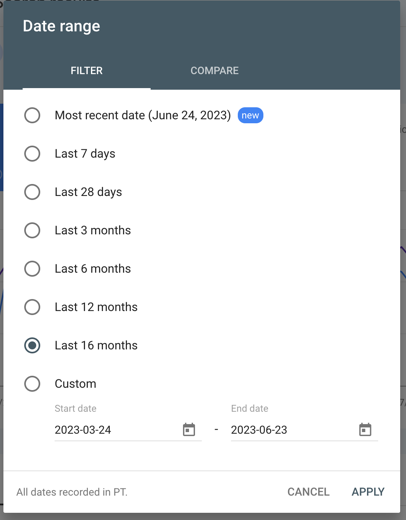
- Time zones and data freshness: A GA4 property uses its configured time zone. Search Console's reporting uses Pacific Time and can be delayed by a couple of days. Comparing yesterday in one tool to a completed day in the other can produce a misleading difference.
- Attribution: GA4 assigns sessions using its attribution and channel rules. Search Console counts the click in Google Search. Make sure GA4 is filtered to
Session source = googleandSession medium = organicbefore treating it as a Google organic comparison. - Canonical URLs: Search Console reports Search activity for Google's canonical URL. GA4 can record any tagged URL that a visitor loads, including parameterized or alternate URLs. Page-level reports will often have different rows as a result.
- Included traffic: Search Console separates Search, Image, Video, News, Discover, and other report contexts. GA4 organizes traffic differently. PDFs and other non-HTML files can appear in Search Console even when GA4 is not set up to measure their activity.
- AI Overviews and AI Mode: Clicks from those features count in Search Console's Web totals, according to Google's AI features documentation. On the GA4 side they're ordinary visits, so a first visit that arrives without a referrer is filed as Direct rather than Google organic.
- Known bot traffic: Google says GA4 automatically excludes known bots and spiders, while Search Console does not necessarily filter them the same way. It will not explain most gaps, but it can matter when automated traffic is a concern.
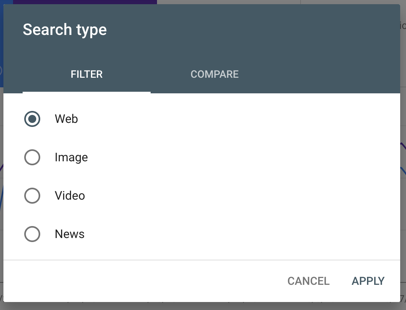
Treat these as a checklist. Verify the site's setup before deciding that measurement is broken. Google's data-discrepancy guidance covers the implementation, tracking, time-zone, attribution, canonical, non-HTML, and bot conditions. Its Analytics data safeguards documentation explains that users can disable cookies or use the Analytics opt-out browser add-on.
Why Does Search Console Show More Clicks Than GA4 Shows Sessions?
A Search Console click can occur even when the Analytics tag does not record a session. Common reasons include a missing or blocked tag, a visitor declining tracking, a redirect or slow page that prevents the tag from loading, and differences in the reports' dates or filters.
How To Match GA4 And Search Console Filters Before Troubleshooting
At My Favorite Web Designs, we match the comparison before we troubleshoot. It is easy to compare Search Console clicks for all Search types with GA4 sessions that include or exclude the wrong channel, country, device, or date. That creates a discrepancy that may not exist.

Use this setup first:
- In GA4, open the Traffic Acquisition report and filter to
Session source = googleandSession medium = organic. - In Search Console, use the Search results Performance report and choose the same country and device filters you used in GA4.
- Use the same complete date range. Avoid judging the current day, allow for Search Console's reporting delay, and use full weeks when a Pacific Time versus property-time-zone boundary could affect a daily comparison.
- Compare the overall trend before comparing individual pages. A similar upward or downward pattern matters more than identical totals.
- If you need page-level analysis, expect canonicalization and alternate URLs to make individual rows differ. Confirm which URL Google treats as canonical before labeling the difference a tracking problem.

Google specifically recommends matching country and device filters when comparing data sources. Its Search Console Performance report documentation also explains why property-level and page-level aggregation can count the same Search activity differently.
How Big The GA4 And Search Console Gap Is On Client Websites
The visit examples above are illustrations, so we ran the comparison on our own client accounts. We pulled the same four weeks, August 31 to September 27, 2026, for the client sites where we manage both Search Console and GA4, and kept the ones with at least 100 Search Console clicks, so a handful of visits couldn't swing the ratio. Both reports were set up the way this guide describes: Search Console's Web search type for every country and device, pulled through its API, and GA4 filtered to Session source = google and Session medium = organic. Client names are left out.
| Business | Search Console Web clicks | GA4 Google organic sessions | GA4 sessions per 100 clicks |
|---|---|---|---|
| Guitar store | 1,904 | 3,435 | 180 |
| Painting contractor | 201 | 354 | 176 |
| Personal injury law firm | 1,314 | 1,907 | 145 |
| Dental practice | 557 | 779 | 140 |
| Home building products | 325 | 438 | 135 |
| Personal injury law firm | 204 | 264 | 129 |
| Dental practice | 482 | 602 | 125 |
| Music lessons | 140 | 173 | 124 |
| Dental and medical clinic | 336 | 372 | 111 |
| Plumbing and HVAC | 631 | 676 | 107 |
| Tax law firm | 869 | 571 | 66 |
| Collection agency | 619 | 398 | 64 |
| Emergency medical clinic | 10,397 | 5,985 | 58 |
| Dental practice | 624 | 109 | 17 |
None of them matched. On 10 of the 14, GA4 recorded more Google organic sessions than Search Console recorded Web clicks, the reverse of the gap most of this guide is about.
Search Console's Web number leaves out Image, Video and News clicks, so we checked those too. Discover has its own report, which we left out. Adding Image clicks, checked on all 14 sites, flips none of them: the guitar store drops from 180 to 161, and no other site moves by more than 8. The two sites closest to 100 had no Video or News clicks at all. Search Console's interface now splits Web into Web: text-based and Web: multimodal, the second covering searches made with Google Lens, Circle to Search and uploaded images, according to Google's Performance report help. The API's web type, which we pulled, is documented as the combined All tab, and Google's API reference doesn't yet say how it maps onto the split.
We traced two of the sites page by page, the painting contractor and the larger law firm, and found causes we could measure in the data:
- Sessions With No Landing Page. GA4 shows "(not set)" as the landing page when a session has no
page_viewevent, according to Google's explanation of (not set) values. On the painting contractor's site, 73 of the 354 Google organic sessions had no landing page. On the law firm's site it was 110 of 1,907. Google's session definition starts a session with a page view, but the painting contractor's 73 held only two events, session_start and user_engagement, and no page_view at all. In our experience, most of these are visitors who come back to an open tab after GA4's 30-minute timeout and interact without loading a page, which turns one Search click into two GA4 sessions. - A Business Profile Link Tagged As Organic. The law firm's Google Business Profile links carry
utm_source=googleandutm_medium=organic, so GA4 files a click on any of them as Google organic. Search Console reports the clicks on those links that come from Google Search results. A click on the same listing in Google Maps isn't a Search result, but the tag still sends it to GA4 as Google organic. Search Console lists a tagged URL as its own row, so for the homepage it reported 201 Web clicks on the plain URL plus 77 on the tagged one, while GA4 recorded 373 Google organic sessions that landed there. The law firm's links also carryutm_campaign=gbp, which keeps those visits in GA4's Organic Search channel while letting you filter them out by Session campaign before you compare GA4 with Search Console.
The traced causes account for about half of the painting contractor's 153 extra sessions and about a third of the law firm's 593. The likeliest remainder is the attribution rule described earlier: returning visitors whose last non-direct visit came from Google, which GA4 credits to Google again. GA4 doesn't label those sessions, so we can't count them directly. Pages without those effects lined up closely: on the painting contractor's site, the page with the second-most Search clicks had 19 in Search Console and 19 GA4 sessions, and three more pages were each within four sessions.
The four sites under 100 run the way the rest of this guide describes. The lowest, a dental practice at 17 sessions per 100 clicks, logged 988 Direct sessions in GA4 over the same four weeks against 129 from all organic search. A first visit that loses its Google referrer on the way in gets filed as Direct, so that's where we look first when organic sits this far under Search Console. We haven't finished tracing that site, so it's in the table as a measured number, not a diagnosis.
The GA4 properties in this comparison use four U.S. time zones, so their days start up to three hours apart from Search Console's Pacific Time. Over 28 days that moves a total by well under 1%. For an Arizona business the overlap changes with the season. Arizona doesn't observe daylight saving time, so a Phoenix-time GA4 property shares Search Console's Pacific days from mid-March to early November and runs an hour ahead of them the rest of the year.
So the number to watch is your own site's ratio over time. A site that has run near 130 GA4 sessions per 100 Search Console clicks for months and drops to 60 has something to find. A steady 60 can be normal, though one pass through the checklist above costs little.
Can GA4 Show More Google Organic Sessions Than Search Console Shows Clicks?
Yes. On 10 of the 14 client sites we compared over the same four weeks, GA4 recorded more Google organic sessions than Search Console recorded Web clicks. One Search click can become two GA4 sessions after the 30-minute timeout, a visitor who returns later through a bookmark is credited to Google when Google was their last non-direct source, and a Business Profile link tagged as Google organic sends listing clicks to GA4 even when they didn't come from Google Search results.
Linking Search Console To GA4 Adds Context, Not Matching Totals
Linking a GA4 web data stream and a Search Console property is worthwhile when you want the related reports in one place. At My Favorite Web Designs, it is part of the reporting foundation we set after an audit, not a way to make two different metrics agree. Google makes a Google Organic Search Queries report and a Google Organic Search Traffic report available in Analytics after the link is created. Those reports help connect queries and landing pages with on-site engagement.
The link does not convert clicks into sessions or change either tool's measurement rules. It also does not make recent data immediate: Google says Search Console data becomes available in both Search Console and Analytics 48 hours after Search Console collects it. A web data stream can link to only one Search Console property, so confirm that the two properties cover the same pages before interpreting the reports together.
Set up the link in GA4 under Admin → Product Links → Search Console Links. Google's linking documentation explains the available reports, limits, and data timing. Once the link exists, the reports still won't show until you publish them: Google leaves the Search Console collection unpublished by default, and you publish it from Library in GA4's left-hand menu.
Why Page And Query Rows Do Not Always Add Up
Even within Search Console, a total can change depending on how you group it. At the property level, Search Console counts results for the same query that point to the same property once. At the page level, it counts each distinct result URL separately. That is one reason a page report is not a row-by-row match for a property-level total.
Query reports have another limitation: Search Console omits some queries to protect user privacy. Google says anonymized queries are included in chart totals unless you apply a query filter, but they may not appear as individual rows in the query table. Do not try to reconstruct a site's total clicks by adding visible query rows.
For page-level discrepancies, check the Google-selected canonical URL in URL Inspection and compare it with the URL that GA4 received. Google's Search Console dimensions documentation explains query anonymization and grouping limits; its GA4 and Search Console guidance explains the canonical-URL difference.
A Same-Visitor Example: How GA4 And Search Console Record The Visit
Imagine a homeowner searches Google for a local service and clicks your service-page result at 11:58 PM Pacific Time.
Search Console can record that click because it happened in Google Search. The visitor then reaches your site, accepts the consent prompt, and the GA4 tag loads. GA4 records a session and later records a form submission as a key event.
Now change one detail at a time:
- If the visitor closes the page before the tag loads, Search Console can retain the click while GA4 has no session.
- If the site uses basic Consent Mode and the visitor does not consent, no data is sent to Google by the blocked tags. With advanced Consent Mode, the tag can send cookieless pings while storage remains denied. The Search Console click still describes the Google Search interaction.
- If your GA4 property uses an East Coast time zone, the session may fall on a different calendar day than the Search Console click recorded in Pacific Time.
- If the user returns through a bookmark the next day, GA4 can record another session without a new Google Search click.
Nothing about the visit is inconsistent. The measurement systems are observing different moments and applying different rules.
How To Tell A Normal GA4 And Search Console Gap From A Tracking Issue
An ongoing gap is usually normal when the reports use comparable filters, the trend lines generally move together, and there is no evidence that the tag failed on important landing pages. Google explicitly advises that a small discrepancy can be ignored because the systems are different.
How MFWD Diagnoses A New GA4 And Search Console Discrepancy
When a mismatch is new, I start with time coincidence. I line up the first date the gap appears with changes to indexed pages, rankings, deployments, and the measurement setup. That does not prove the cause. It tells me whether the first hour belongs in the site's measurement path or in Google Search visibility.
If GA4 organic sessions fall after a consent-platform, tag-manager, redirect, or template release while Search Console clicks stay stable, inspect the measurement path first. If both reports fall together, inspect the search result, rankings, queries, and affected landing pages before changing the tag.
A larger, new, or growing gap is worth checking when it appears after a site launch, a consent-platform change, a tag-manager update, a redirect rollout, or a major template change. This is one reason an SEO-safe redesign plan needs technical verification after launch in addition to visual review.
Work through the practical checks in this order:
- Visit several high-traffic organic landing pages and confirm GA4 is loading as intended.
- Confirm that consent behavior matches your intended measurement approach.
- Check redirects from old URLs and confirm the final destination contains the Analytics implementation.
- Compare GA4 and Search Console using the same completed dates, country, device, and organic-Google filters.
- Review canonical tags and the URL Google selected for important pages.
- Check whether a decline appears in both trend lines. If Search Console clicks fall while GA4 engagement remains stable, start with the Search result, query, ranking, and SERP context. If Search Console stays stable while GA4 sessions fall, start with measurement and on-site changes.
- If GA4 runs higher than Search Console, look for visits Search Console can't see: Business Profile links tagged
utm_medium=organic, and Google organic sessions whose landing page reads "(not set)".
Technical changes can affect both visitor experience and measurement. Our guide to Core Web Vitals and actual site speed explains why a page can look fine in one test yet behave differently for real visitors. The same discipline applies here: verify the condition you are trying to diagnose instead of treating one report as a verdict on the other.
When To Use GA4 And When To Use Google Search Console
At My Favorite Web Designs, reporting follows the audit and technical-foundation work. We use Search Console to explain whether Google Search exposure or click behavior changed. It is where we investigate query demand, impressions, clicks, CTR, search-result pages, and the pattern of an organic traffic drop.
We use GA4 to see whether the people who reached the site engaged, called, submitted a form, started checkout, or returned. That connects organic acquisition to the result the business cares about.
For a local business, this is the simple weekly review we recommend:
- In Search Console, identify pages and queries gaining or losing clicks and impressions.
- In GA4, check the organic-Google sessions that reached those landing pages and the key events they produced.
- On the site, examine whether the page gives a searcher a clear next action. A strong web design and conversion path matters once the organic visitor arrives.
The MFWD team is amazing! The demands of our business on a web team are extreme and they keep up with our high volume of activity. They are responsive, accurate, creative and innovative. I don't know how we would manage without them!
Lisa C, Google review, 2024
If the reports suggest a tracking or performance issue you cannot explain, bring the comparison, date range, filters, and affected landing pages to a technical review. At My Favorite Web Designs, we use that evidence to separate a search-performance question from a tracking or site-behavior question before recommending a fix. A free marketing analysis is a practical place to start that conversation.
An SEO, AEO, and local search review can also help separate a Google Search performance change from an on-site behavior or measurement problem before you invest time in the wrong fix.
Screenshots in this article are Google's own product interfaces, published by Google in its Search Central documentation. They are cropped to the relevant control and show no site data.
Frequently Asked Questions
Should GA4 Organic Sessions Match Google Search Console Clicks?
No. A stable gap is normal when the reports use comparable filters and date ranges. Treat a sudden or unusually large gap as a reason to check Analytics implementation, consent settings, time zones, attribution, canonical URLs, and the search traffic included in each report.
Which Tool Should I Use To Measure SEO Performance?
Use Search Console for Google Search performance, including impressions, clicks, queries, and search-result CTR. Use GA4 for what visitors do after they reach the site, including engagement, key events, and lead or purchase activity.
Resources
- Using Search Console and Google Analytics Data for SEO: Google's own comparison of Search Console and GA4, with its list of reasons clicks and sessions differ.
- GA4 Session: How GA4 starts and ends a session, including the 30-minute timeout.
- What The Value (Not Set) Means In Your Reports: Why a session can show "(not set)" as its landing page.
- About Consent Mode: What basic and advanced Consent Mode send to Google when a visitor declines tracking.
- Performance Report (Search Results): About The Data: How Search Console counts clicks, impressions and positions, and why property and page totals differ.
- Connect Search Console To Google Analytics: How to link the two, and what the linked reports in GA4 can and can't show.